Few technical incidents induce as much dread for website owners, digital agencies, and DevOps engineers as the abrupt appearance of an HTTP 502 Bad Gateway or 504 Gateway Timeout error. During critical marketing campaigns, Black Friday flash sales, or high-volume traffic surges, these catastrophic 5xx errors instantly take your WordPress website offline, destroying user trust, terminating active WooCommerce checkout conversions, and tanking organic search rankings. While beginner tutorials often prescribe superficial fixes like clearing browser cookies or blindly deactivating plugins, senior systems architects understand that 502 and 504 errors are deterministic infrastructure breakdowns occurring between your edge reverse proxy (such as Cloudflare, Nginx, or LiteSpeed) and your upstream application execution engine (PHP-FPM) or database cluster. In this definitive 2,800-word engineering guide, we dissect the inner mechanics of gateway communication, provide mathematical formulas for sizing PHP-FPM worker pools, optimize Nginx FastCGI buffer and timeout thresholds, demystify Cloudflare edge error variants (502, 504, 524, 522), and walk through an exhaustive CLI diagnostic toolkit to permanently eradicate gateway outages.
1. The Fundamental Architecture: Reverse Proxies, Gateways, and Upstreams
To diagnose and resolve 502 and 504 errors with precision, engineers must first visualize the lifecycle of a modern dynamic WordPress HTTP request. In high-performance enterprise hosting environments, WordPress does not run as a monolithic web server. Instead, it relies on a multi-tiered, decoupled client-server architecture:
- Client Browser: The end-user initiates an HTTP/2 or HTTP/3 GET request for a page or AJAX checkout action.
- Edge CDN & WAF Layer (Cloudflare): Inspects incoming packets for security threats, terminates TLS encryption, and serves pre-cached static assets or edge-cached HTML pages.
- Origin Web Server (Nginx, LiteSpeed, or Apache): Acts as the frontline reverse proxy. It serves static assets directly from disk and routes dynamic PHP requests across an internal IPC boundary.
- FastCGI Communication Bus: Nginx translates HTTP requests into FastCGI binary network packets and transmits them over a local Unix domain socket (e.g.,
unix:/run/php/php8.2-fpm.sock) or a TCP loopback port (127.0.0.1:9000). - Application Runtime (PHP-FPM Worker Pool): The PHP FastCGI Process Manager spawns isolated worker threads that parse PHP source files, bootstrap the WordPress core runtime, execute active plugins, and compile dynamic output.
- Data Persistence Layer (MySQL/MariaDB & Redis): PHP-FPM queries relational tables for post records, options, and user metadata, while reading transients from memory via Redis.
When this pipeline functions seamlessly, the browser receives an HTTP 200 OK response in under 200 milliseconds. However, when any component downstream of the reverse proxy fails to communicate properly, the gateway produces either a 502 or a 504 error code.
HTTP 502 Bad Gateway: The Upstream Process Dropped Dead
An HTTP 502 status code signifies that Nginx or Apache acted as an intermediary gateway to an upstream server (PHP-FPM) and received an invalid, empty, or unparseable response. At the Linux socket layer, this means one of three concrete events took place:
- The PHP-FPM worker process crashed abruptly due to a memory segmentation fault (segfault) or out-of-memory (OOM) kernel termination before it could write HTTP headers to the socket.
- The PHP-FPM master process was shut down, restarting, or failed entirely, causing Nginx’s connection attempt to the Unix socket to be refused immediately (
111: Connection refused). - The upstream response headers generated by a misbehaved WordPress plugin were larger than the memory buffers allocated in Nginx, triggering a buffer overflow error (
upstream sent too big header).
HTTP 504 Gateway Timeout: The Upstream Process Ran Out of Time
In contrast, an HTTP 504 status code is purely a temporal failure. Nginx or Cloudflare successfully established a connection with the upstream backend, and the upstream worker accepted the request into its execution thread. However, the upstream process failed to compile the page, finish database operations, and return an HTTP response before the reverse proxy’s internal timeout countdown expired.
The worker may still be computing in the background or locked in a query deadlock, but the reverse proxy refuses to wait any longer, severs the client connection, and returns an HTTP 504 status.
| Architectural Dimension | HTTP 502 Bad Gateway | HTTP 504 Gateway Timeout |
|---|---|---|
| Core Failure Definition | Upstream returned invalid or empty response | Upstream took too long to complete execution |
| Typical Upstream State | Process terminated, crashed, or refused | Process alive but hung, deadlocked, or looping |
| Governing Configuration | fastcgi_buffer_size, memory_limit |
fastcgi_read_timeout, max_execution_time |
| Primary Culprits | PHP fatal errors, OOM killer, socket permissions | Slow MySQL queries, external REST APIs, CPU starvation |
| Nginx Error Log Signature | connect() failed (111: Connection refused) |
upstream timed out (110: Connection timed out) |
2. Cloudflare Error Codes: Edge vs Origin Root Cause Identification
When your domain routes through Cloudflare’s edge proxy network, diagnosing gateway errors requires inspecting the exact branded error screen returned to the browser. Cloudflare categorizes origin failures into distinct status codes:
Cloudflare Error 502 / Error 504 (Origin Server Error)
If the error screen explicitly reads “Bad Gateway (Error 502)” or “Gateway Timeout (Error 504)” with the Cloudflare logo at the top and your web host at the bottom, Cloudflare is merely echoing an error that originated from your host. Your Nginx or Apache server explicitly emitted a 502 or 504 HTTP status header back to Cloudflare’s edge proxy. The solution lies entirely inside your origin server configuration.
Cloudflare Error 524: “A Timeout Occurred”
Error 524 is unique to Cloudflare. It occurs when Cloudflare successfully establishes a TCP connection with your origin server and dispatches the HTTP request, but your origin fails to send back an HTTP response header within Cloudflare’s strict 100-second edge window (applicable to Free, Pro, and Business tiers). This commonly occurs during intensive operations such as WooCommerce bulk CSV product imports, database migrations via phpMyAdmin, or un-cached complex dashboard reports.
Cloudflare Error 522: “Connection Timed Out”
Unlike 524 (which connects but waits too long for data), Error 522 indicates that Cloudflare’s edge could not complete the initial TCP 3-way handshake with your origin server within 15 seconds. This is typically caused by origin server firewall rules (such as UFW, iptables, or Fail2ban) inadvertently rate-limiting or blocking Cloudflare’s published IP ranges, or your web server daemon crashing completely.
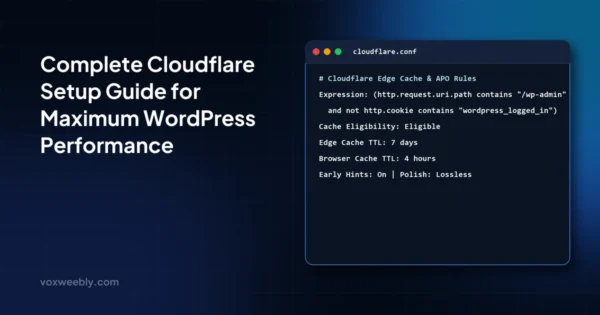
For high-traffic platforms, preventing worker pool saturation begins at the edge. By caching public WordPress pages at Cloudflare’s global edge nodes, you eliminate up to 90% of dynamic PHP-FPM executions. Read our comprehensive guide on configuring Cloudflare for maximum WordPress performance to configure Page Rules, Cache Rules, and edge TTFB optimizations.
3. PHP-FPM Worker Pool Exhaustion: Mathematical Sizing & Configuration
In over 75% of production incidents, 502 and 504 errors stem directly from an un-tuned PHP FastCGI Process Manager (PHP-FPM) configuration. When web traffic surges, an undersized worker pool quickly exhausts its available processes, leaving incoming connections stranded in the kernel listen queue.
The Danger of Default Settings
By default, many Linux package managers install PHP-FPM with conservative settings designed for low-memory micro VPS instances (often setting pm.max_children = 5). Consider what happens when your site receives 25 concurrent requests for dynamic pages: five workers begin processing, while the remaining 20 requests sit queued in the backlog. If each request requires 2.5 seconds to generate, the tail requests will wait over 10 seconds. Under heavy traffic, Nginx’s fastcgi_read_timeout fires before the queued workers ever touch the request, resulting in an epidemic of 504 Gateway Timeouts.
Conversely, setting pm.max_children arbitrarily high (e.g., 200 on an 8GB RAM server) guarantees a fatal 502 Bad Gateway catastrophe: during traffic bursts, all 200 workers spawn simultaneously, consume all physical RAM, force the operating system into heavy swap thrashing, and trigger the Linux Out-Of-Memory (OOM) killer to terminate the PHP-FPM daemon violently.
The Senior Engineer’s Formula for Sizing `pm.max_children`
To configure PHP-FPM correctly, you must calculate process allocation based on available system memory. Log into your server via SSH and determine the average RAM footprint of an individual PHP-FPM worker thread under production load:
# Calculate average memory usage (in Megabytes) per active PHP-FPM worker
ps --no-headers -o "rss,cmd" -C php-fpm8.2 | awk '{ sum+=$1; n++ } END { if (n>0) printf ("Average Worker Size: %.2f MB
", sum/n/1024); else print "No active workers found"; }'
On a modern WordPress site running modern plugins (WooCommerce, ACF Pro, Yoast/Rank Math), an average PHP-FPM worker typically consumes between 65MB and 110MB of RAM. Once you have this baseline, apply the standard capacity equation:
Available PHP RAM = Total System RAM - (OS Baseline RAM + MySQL Buffer Pool + Redis Cache + 15% Safety Buffer)
pm.max_children = Available PHP RAM / Average Worker Size
For example, on a dedicated 16GB RAM cloud server where the OS reserves 1.5GB, MySQL InnoDB Buffer Pool reserves 6GB, and Redis reserves 1GB, you have approximately 7.5GB (7,680MB) available for PHP-FPM. If your average worker consumes 85MB:
pm.max_children = 7680 / 85 ≈ 90 workersProduction-Hardened `www.conf` Configuration
Open your pool configuration file (located at /etc/php/8.2/fpm/pool.d/www.conf or similar depending on your PHP version) and configure the following parameters:
; ==============================================================================
; VOX WEEBLY PRODUCTION: High-Concurrency PHP-FPM Pool Configuration
; ==============================================================================
[www]
user = www-data
group = www-data

; Unix Domain Socket communication with high backlog
listen = /run/php/php8.2-fpm.sock
listen.owner = www-data
listen.group = www-data
listen.mode = 0660
listen.backlog = 65535

; Dynamic Process Management
pm = dynamic
pm.max_children = 90
pm.start_servers = 25
pm.min_spare_servers = 15
pm.max_spare_servers = 35

; Recycle worker processes periodically to eradicate memory leaks
pm.max_requests = 1000

; Hard execution timeout safeguards
request_terminate_timeout = 300s

; Slow execution logging (Triggers if execution exceeds 5 seconds)
request_slowlog_timeout = 5s
slowlog = /var/log/php-fpm/www-slow.log

; Environmental security
catch_workers_output = yes
decorate_workers_output = no
When a PHP worker exceeds the memory allocated to it, the process terminates immediately without returning headers to Nginx, triggering a 502 Bad Gateway. If your server error logs show Allowed memory size of X bytes exhausted, refer to our step-by-step guide on increasing WordPress memory limits (WP_MEMORY_LIMIT) in wp-config.php and php.ini.
4. Nginx Reverse Proxy FastCGI Timeout Configuration
Nginx acts as the gatekeeper. Even if PHP-FPM is configured with a 300-second execution allowance, Nginx will abruptly drop the connection with a 504 Gateway Timeout if its own internal FastCGI timer expires first.
Eliminating the 60-Second Default FastCGI Cliff
The default fastcgi_read_timeout in vanilla Nginx installations is 60 seconds. If an administrative task, database backup, or complex reporting query requires 65 seconds, Nginx cuts the line and sends a 504 to the client, even though PHP-FPM was only seconds away from successfully completing the job.
Preventing 502 Buffer Overflow Disasters
Many 502 Bad Gateway errors have nothing to do with server crashes, but rather FastCGI buffer exhaustion. When WordPress executes plugins that generate complex session cookies, authentication headers, or debug notices, the upstream header payload can exceed Nginx’s default 4KB or 8KB buffer limit. When this happens, Nginx records the following fatal error in /var/log/nginx/error.log:
[error] 14205#14205: *1842 upstream sent too big header while reading response header from upstream, client: 198.51.100.4, server: voxweebly.com, request: "GET /checkout/ HTTP/2.0", upstream: "fastcgi://unix:/run/php/php8.2-fpm.sock:"To eliminate both timeout cutoffs and header buffer overflow crashes, add the following production directives to your Nginx virtual host block:
# /etc/nginx/sites-available/voxweebly.com
server {
    listen 443 ssl http2;
    server_name voxweebly.com www.voxweebly.com;
    root /var/www/html;
    index index.php index.html;

    # Primary PHP Handler
    location ~ \.php$ {
        try_files $uri =404;
        fastcgi_split_path_info ^(.+\.php)(/.+)$;

        fastcgi_pass unix:/run/php/php8.2-fpm.sock;
        fastcgi_index index.php;
        include fastcgi_params;
        fastcgi_param SCRIPT_FILENAME $document_root$fastcgi_script_name;

        # ----------------------------------------------------------------------
        # TIMEOUT MITIGATION: Prevent 504 Gateway Timeouts
        # ----------------------------------------------------------------------
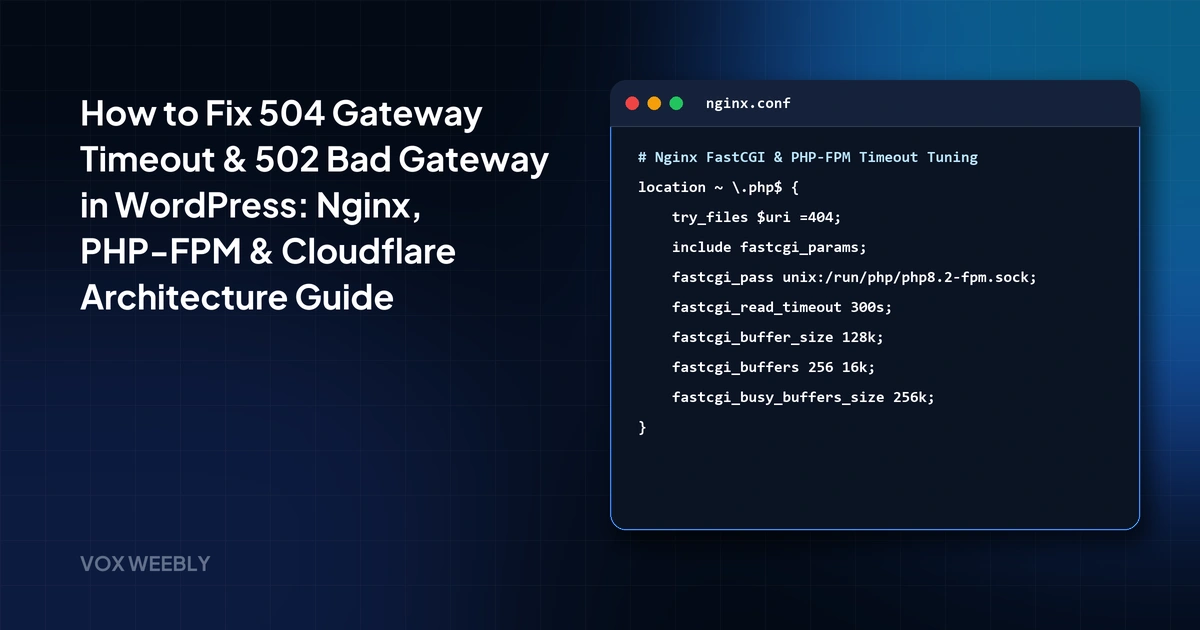
        fastcgi_connect_timeout 300s;
        fastcgi_send_timeout 300s;
        fastcgi_read_timeout 300s;

        # ----------------------------------------------------------------------
        # BUFFER SIZING: Prevent 502 Bad Gateway (upstream sent too big header)
        # ----------------------------------------------------------------------
        fastcgi_buffer_size 128k;
        fastcgi_buffers 256 16k;
        fastcgi_busy_buffers_size 256k;
        fastcgi_temp_file_write_size 256k;
        fastcgi_intercept_errors off;
    }
}
After updating your Nginx configuration, always test syntax validity before reloading the daemon:
sudo nginx -t && sudo systemctl reload nginx5. Upstream Database Deadlocks and Query Locking
While web server and PHP-FPM settings dictate thresholds, the root cause of prolonged PHP execution is almost always located in the database layer. PHP-FPM workers cannot complete their execution cycle if they are blocked waiting for MySQL to release table locks or complete sequential disk scans.
The Autoloaded Options Trap
Every dynamic WordPress page load executes SELECT option_name, option_value FROM wp_options WHERE autoload = 'yes'. Over years of operation, uninstalled plugins and abandoned analytics tools leave behind bloated transients, cache dumps, and massive serialized arrays. If your autoloaded options exceed 1.5MB, every single PHP worker spends 200ms–800ms merely unpacking options into memory on every single hit. When traffic spikes, workers quickly accumulate, exhausting the process pool and cascading into global 504 timeouts.
WooCommerce Cart and Session Table Bottlenecks
In high-volume e-commerce stores, table locks on wp_woocommerce_sessions and transaction deadlocks on inventory rows during checkout will cause PHP workers to stall in an un-interruptible I/O wait state. Once all pm.max_children processes become stuck waiting for database locks, the entire web server grinds to a halt.
When database connections become saturated or MySQL crashes under heavy deadlock loads, the error escalates from a gateway timeout to a full connection failure. If your database daemon stops responding entirely, review our detailed engineering guide on how to fix ‘Error Establishing a Database Connection’ in WordPress to repair crashed InnoDB tables, optimize connection limits, and clean autoloaded option transients.
6. Real-Time CLI Diagnostic Toolkit: Find the Culprit in 60 Seconds
When a production server encounters a 502 or 504 error, you need immediate answers. Execute these targeted Linux terminal diagnostics via SSH to pinpoint the offending process within 60 seconds:
Step 1: Check Live Service Daemons
# Inspect service statuses simultaneously
sudo systemctl status nginx php8.2-fpm mysql redis-server --no-pager
If PHP-FPM shows inactive (dead) or failed, review the systemd journal to inspect the termination reason:
sudo journalctl -u php8.2-fpm.service -n 50 --no-pagerStep 2: Stream Live Nginx Error Logs
# Filter for upstream errors in real-time
sudo tail -f /var/log/nginx/error.log | grep -E "upstream|timed out|Connection refused|too big"
Common messages and their immediate diagnostic translations:
111: Connection refused: PHP-FPM is dead or the socket path infastcgi_passis misconfigured.110: Connection timed out: PHP-FPM accepted the request but failed to finish withinfastcgi_read_timeout.upstream sent too big header: Increasefastcgi_buffer_sizeandfastcgi_buffersin Nginx.Primary script unknown: Nginx cannot findindex.phpat the specifiedSCRIPT_FILENAMEpath.
Step 3: Analyze the PHP-FPM Slow Log
If you enabled request_slowlog_timeout = 5s in your pool configuration, PHP-FPM automatically dumps the exact PHP call stack, file path, and line number of any script that takes longer than 5 seconds to run:
sudo tail -n 60 /var/log/php-fpm/www-slow.logThis immediately exposes rogue third-party plugins making stalled external HTTP requests, unindexed database queries, or infinite recursive loops without guessing.
Step 4: Audit Real-Time MySQL Process List
# View active database queries running longer than 5 seconds
mysql -u root -p -e "SELECT id, user, host, db, command, time, state, info FROM information_schema.processlist WHERE command != 'Sleep' AND time > 5 ORDER BY time DESC;"
If you observe multiple queries locked in Waiting for table metadata lock or Sending data, identify the query ID and kill the bottleneck query: KILL <id>;.
7. Complete Diagnostic Matrix: Error Symptom vs Root Cause vs Fix
The reference matrix below synthesizes the primary failure patterns observed across high-traffic WordPress architectures:
| Visible Symptom | Underlying Root Cause | Target Configuration File | Immediate Remediation |
|---|---|---|---|
| 502 Bad Gateway (Instantaneous) | PHP-FPM service crashed or stopped | /etc/systemd/system/ |
sudo systemctl restart php8.2-fpm |
| 502 Bad Gateway on Specific Pages | Upstream header buffer size exceeded | nginx.conf |
Set fastcgi_buffer_size 128k; |
| 502 Bad Gateway during High Traffic | Linux OOM killer terminated worker pool | www.conf |
Lower pm.max_children to match physical RAM |
| 504 Gateway Timeout after 60s | Nginx FastCGI read timer expired | nginx.conf |
Increase fastcgi_read_timeout 300s; |
| 504 Gateway Timeout during Spikes | PHP-FPM worker pool saturation | www.conf |
Increase pm.max_children and scale server RAM |
| Cloudflare Error 524 after 100s | Origin execution exceeded Cloudflare limit | WordPress Code / Cron | Offload heavy jobs to WP-CLI or background workers |
Frequently Asked Questions (FAQ)
Does increasing timeouts in Nginx permanently fix 504 Gateway Timeouts?
No. Increasing fastcgi_read_timeout from 60s to 300s is a temporary buffer that prevents premature disconnections during legitimate heavy administrative workloads (such as generating bulk invoices or running WooCommerce data upgrades). If standard customer-facing pages take longer than 2 seconds to render, the true root cause is unoptimized database queries, bloated autoloaded options, or blocking external API calls.
Why does WooCommerce checkout frequently trigger 502 Bad Gateway errors?
WooCommerce checkout requests trigger a complex sequence of synchronous operations: inventory verification, tax calculations, payment gateway tokenization, customer record creation, and transactional email dispatch. If any external payment gateway or tax API hangs, or if the server exhausts memory while formatting PDF invoices, the worker process crashes, producing a 502 Bad Gateway.
What is the difference between PHP `max_execution_time` and PHP-FPM `request_terminate_timeout`?
max_execution_time (configured in php.ini) measures CPU time spent by the PHP interpreter. It does not count time spent waiting for external system calls, such as file downloads or MySQL database queries. request_terminate_timeout (configured in www.conf) measures absolute wall-clock time. If a worker process hangs on a locked database query for 300 seconds, request_terminate_timeout will forcibly terminate the worker process, whereas max_execution_time might never fire.
Can an unoptimized WordPress plugin trigger a 502 Bad Gateway without logging a fatal error?
Yes. If a plugin triggers a segmentation fault in an underlying C extension (such as ImageMagick, cURL, or OPcache) or exhausts system RAM causing the Linux kernel’s Out-Of-Memory killer to send a SIGKILL signal, PHP-FPM terminates instantly without executing WordPress’s shutdown handlers or writing to debug.log.
How does object caching with Redis prevent 502 and 504 gateway errors?
Redis stores the results of repeated SQL queries in server RAM. Instead of 100 concurrent visitors hammering MySQL for the exact same header menu, theme options, and category taxonomy trees, PHP-FPM fetches the compiled data from Redis in under 1 millisecond. This reduces average PHP-FPM worker execution duration from 800ms down to 80ms, effectively multiplying the concurrent capacity of your worker pool by tenfold.
Conclusion
In conclusion, mastering how to diagnose and resolve 504 Gateway Timeout and 502 Bad Gateway errors is essential for operating a high-concurrency, enterprise-grade WordPress platform. By correctly calculating PHP-FPM process pools, tuning Nginx FastCGI buffer allocations, configuring edge Cloudflare caching, and systematically monitoring server error logs, engineering teams can guarantee 99.99% availability even under extreme viral traffic surges.
At Vox Weebly, we engineer bespoke, high-performance WordPress platforms, custom ACF Pro theme architectures, and scalable cloud infrastructure for premier digital agencies across the United States, UK, Canada, and Australia with 100% Upwork client satisfaction. If your enterprise website or e-commerce store is plagued by recurring 502 or 504 gateway outages, contact Vox Weebly today. Our senior systems architects will audit your infrastructure stack and deliver a resilient, sub-second hosting foundation.