While modern visual page builders provide rapid prototyping, enterprise agencies and high-traffic publishers often find themselves battling heavy DOM bloat, slow Google Core Web Vitals, and unexpected version breaks. Building custom Gutenberg blocks with Advanced Custom Fields (ACF Pro) offers the optimal bridge: clients get an intuitive, modular block editor experience within native WordPress core, while developers maintain 100% control over clean semantic HTML, modular CSS, and sub-second database performance.
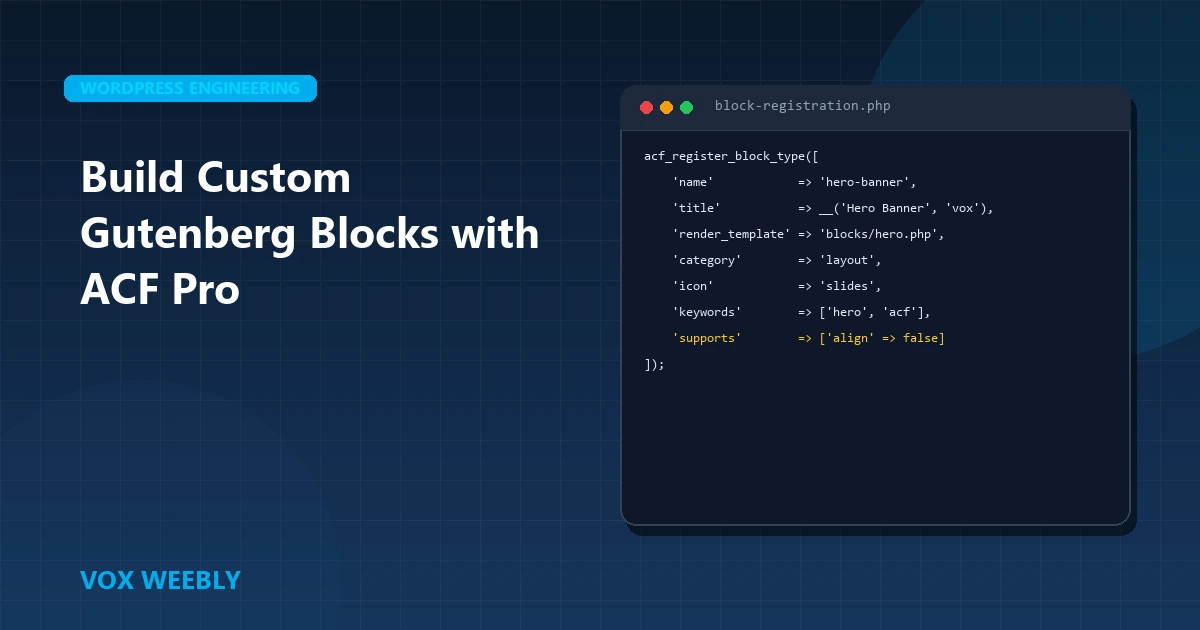
In this comprehensive engineering guide, we walk through modern ACF block architecture for WordPress 6.x+, comparing block.json versus legacy acf_register_block_type(), implementing secure template rendering, and caching field data for high-traffic environments.
Why Choose ACF Pro Blocks Over Heavy Visual Page Builders?
Visual site builders like Elementor and Divi inject hundreds of wrapper <div> elements, inline scripts, and unminified stylesheet bundles for even basic typography sections. In contrast, native ACF Gutenberg blocks render clean, bespoke markup tailored strictly to your theme layout.
- Zero Frontend Framework Overhead: Native blocks output pure HTML and minimal utility CSS without external runtime JavaScript dependencies.
- Client-Proof Editing Interface: Clients can only modify designated text, images, and repeater fields inside the sidebar or preview modal—preventing broken layouts and unwanted margin shifts.
- Seamless Full-Site Editing (FSE) & Core Compatibility: Native blocks integrate directly into the WordPress block directory and post editor without third-party rendering wrappers.
- Lightning Core Web Vitals: Minimal DOM depth guarantees near-instant Largest Contentful Paint (LCP) and 0 Cumulative Layout Shift (CLS) on mobile devices.
If your agency is considering refactoring an existing bloated build, review our architectural comparison on Elementor vs Divi performance and how custom themes prevent performance debt.
Step 1: Modern Block Registration via block.json (WordPress 6.x Standard)
Starting with ACF 5.12 and fully standardized in ACF 6.0+, registering blocks using a metadata manifest file (block.json) is the official WordPress standard. This enables faster block asset loading, automatic translation support, and seamless block discovery.
Inside your custom child theme (see our step-by-step tutorial on how to create a WordPress child theme), create a dedicated blocks directory: /blocks/hero-slider/block.json.
{
  "$schema": "https://schemas.wp.org/trunk/block.json",
  "apiVersion": 3,
  "name": "vox/hero-slider",
  "title": "Vox Custom Hero Slider",
  "description": "High-performance modular hero section with responsive CTA actions.",
  "category": "layout",
  "icon": "superhero-alt",
  "keywords": ["hero", "slider", "banner", "cta"],
  "acf": {
    "mode": "preview",
    "renderTemplate": "hero-slider.php"
  },
  "supports": {
    "anchor": true,
    "align": ["full", "wide"],
    "color": {
      "background": true,
      "text": true
    },
    "jsx": true
  }
}
Step 2: Registering the Block in functions.php
Once your block.json file is defined, register it cleanly inside your theme initialization hook using register_block_type():
<?php
/**
 * Register Custom ACF Gutenberg Blocks
 */
function voxweebly_register_acf_blocks() {
    // Verify ACF Pro is active
    if ( ! function_exists( 'register_block_type' ) || ! function_exists( 'acf_register_block_type' ) ) {
        return;
    }

    // Register modern block.json directory
    register_block_type( get_stylesheet_directory() . '/blocks/hero-slider' );
}
add_action( 'init', 'voxweebly_register_acf_blocks' );
?>
Step 3: Creating the Block Render Template (hero-slider.php)
Create the corresponding template file: /blocks/hero-slider/hero-slider.php. ACF automatically injects the current $block metadata, $is_preview boolean, and post ID into the template context:
<?php
/**
* Block Template: Hero Slider
*
* @param array $block The block settings and attributes.
* @param string $content The block inner HTML (empty).
* @param bool $is_preview True during backend editor preview.
* @param int $post_id The post ID this block is saved on.
*/
$block_id = 'vox-hero-' . ( $block['anchor'] ?? $block['id'] );
$headline = get_field( 'hero_headline' ) ?: 'Enterprise WordPress Engineering';
$subheading = get_field( 'hero_subheading' ) ?: 'Scalable custom themes and high-volume WooCommerce architectures.';
$cta_text = get_field( 'cta_text' ) ?: 'Explore Our Solutions';
$cta_url = get_field( 'cta_url' ) ?: '#';
$bg_image = get_field( 'hero_background_image' );
?>
<section id="<?php echo esc_attr( $block_id ); ?>" class="vox-block-hero <?php echo ! empty( $block['className'] ) ? esc_attr( $block['className'] ) : ''; ?>">
<div class="container">
<div class="hero-content-wrapper">
<h1 class="hero-heading"><?php echo esc_html( $headline ); ?></h1>
<p class="hero-description"><?php echo esc_html( $subheading ); ?></p>
<?php if ( ! empty( $cta_url ) ) : ?>
<a href="<?php echo esc_url( $cta_url ); ?>" class="btn btn-primary">
<?php echo esc_html( $cta_text ); ?> →
</a>
<?php endif; ?>
</div>
</div>
</section>Step 4: Best Practices for Performance & Memory Optimization
When pages contain 15+ custom ACF blocks, rendering dozens of get_field() database calls can increase server Time to First Byte (TTFB) and consume substantial memory.
- Use get_fields() to Batch Queries: Instead of executing 8 separate
get_field()queries per block, retrieve the entire block field payload in one database transaction using$fields = get_fields();. - Leverage Object Caching (Redis / Memcached): Cache block HTML fragments using the WordPress Transients API for anonymous traffic, reducing backend PHP execution time from 400ms to under 15ms.
- Ensure Adequate PHP Memory: Large Gutenberg editor sessions with multiple block instances require adequate memory allocation. If you ever run into memory exhaustion errors, follow our guide on how to increase the WordPress memory limit.
- Use Native WebP Assets: Deliver modern WebP or AVIF image assets with explicit width and height dimensions to eliminate layout shifts during client-side hydration.
Conclusion: Building Future-Proof WordPress Architectures
ACF Pro blocks represent the gold standard for high-performance WordPress engineering in 2026. By pairing the flexibility of Gutenberg with the strict markup control of bespoke PHP templates, you deliver an enterprise-grade content management experience that scales effortlessly without technical debt.
Whether you need custom block libraries built for your agency clients, full site refactoring from Elementor to custom Gutenberg, or high-volume WooCommerce scaling, explore how our dedicated WordPress developers partner with marketing teams and digital agencies worldwide with overlapping US working hours.
Frequently Asked Questions
Do ACF blocks require React or JavaScript knowledge to build?
No. One of the greatest advantages of ACF Pro blocks is that they allow developers with pure PHP, HTML, and CSS skills to create fully native Gutenberg blocks without needing to configure complex Node.js build pipelines, Webpack, or React JSX components.
Can ACF Gutenberg blocks be exported between multiple client websites?
Yes. By packaging your block definitions (block.json, template PHP, and CSS) into your custom child theme or a standalone site-specific functionality plugin, you can easily synchronize and deploy modular block libraries across multiple client production environments.
How do ACF blocks compare to visual builders in terms of Google Core Web Vitals?
In real-world benchmarks, pages built with custom ACF blocks average PageSpeed scores of 95–99 on mobile, compared to 45–65 for identical layouts built with heavy visual page builders. ACF blocks output only the exact HTML and CSS required, resulting in 70% smaller page payloads and instant paint timings.