In the WordPress development ecosystem, few debates generate as much passion—and confusion—as the choice between building with visual drag-and-drop page builders (such as Elementor, Divi, and WPBakery) versus engineering a bespoke custom WordPress theme powered by Advanced Custom Fields (ACF Pro) and native Gutenberg blocks. While commercial page builders promise rapid prototyping and zero-code flexibility for non-technical users, enterprise organizations, high-growth e-commerce brands, and professional digital agencies inevitably discover their severe architectural compromises: massive DOM tree bloating, sluggish Core Web Vitals, database corruption, and catastrophic update fragility. In this definitive, 3,200-word engineering breakdown, we provide an unsparing, data-driven comparison of Custom ACF Themes versus Visual Page Builders—analyzing rendering engines, database storage models, maintenance overhead, client ergonomics, and long-term Total Cost of Ownership (TCO).
1. The Fundamental Architectural Divide: How Each Approach Renders Code
To understand why custom ACF themes consistently out-perform page builders, we must first examine how both paradigms translate design concepts into browser markup.
The Visual Page Builder Pipeline: Abstraction Overload
Visual page builders are software abstraction layers built on top of WordPress. Because they must accommodate every conceivable design variation without touching raw code, their rendering engines generate deeply nested wrapper elements to control simple CSS flexbox and grid alignments.
Consider a simple two-column card featuring an icon, heading, paragraph, and button. In Elementor or Divi, the resulting DOM output resembles the following:
<!-- Typical Page Builder DOM Output (14-Layer Deep Nesting) -->
<div class="elementor elementor-1024">
  <div class="elementor-inner">
    <div class="elementor-section-wrap">
      <section class="elementor-section elementor-top-section elementor-element elementor-element-a1b2c3d elementor-section-boxed">
        <div class="elementor-container elementor-column-gap-default">
          <div class="elementor-row">
            <div class="elementor-column elementor-col-50 elementor-top-column elementor-element">
              <div class="elementor-column-wrap elementor-element-populated">
                <div class="elementor-widget-wrap">
                  <div class="elementor-element elementor-widget elementor-widget-heading">
                    <div class="elementor-widget-container">
                      <h3 class="elementor-heading-title">Bespoke Architecture</h3>
                    </div>
                  </div>
                </div>
              </div>
            </div>
          </div>
        </div>
      </section>
    </div>
  </div>
</div>
Notice the extreme level of nesting: nine wrapper divs before reaching a single heading tag! Multiply this across 30 sections on a corporate landing page, and a builder-driven website routinely generates 3,000 to 5,000 DOM nodes per page.
The Custom ACF Gutenberg Pipeline: Clean Semantic HTML5
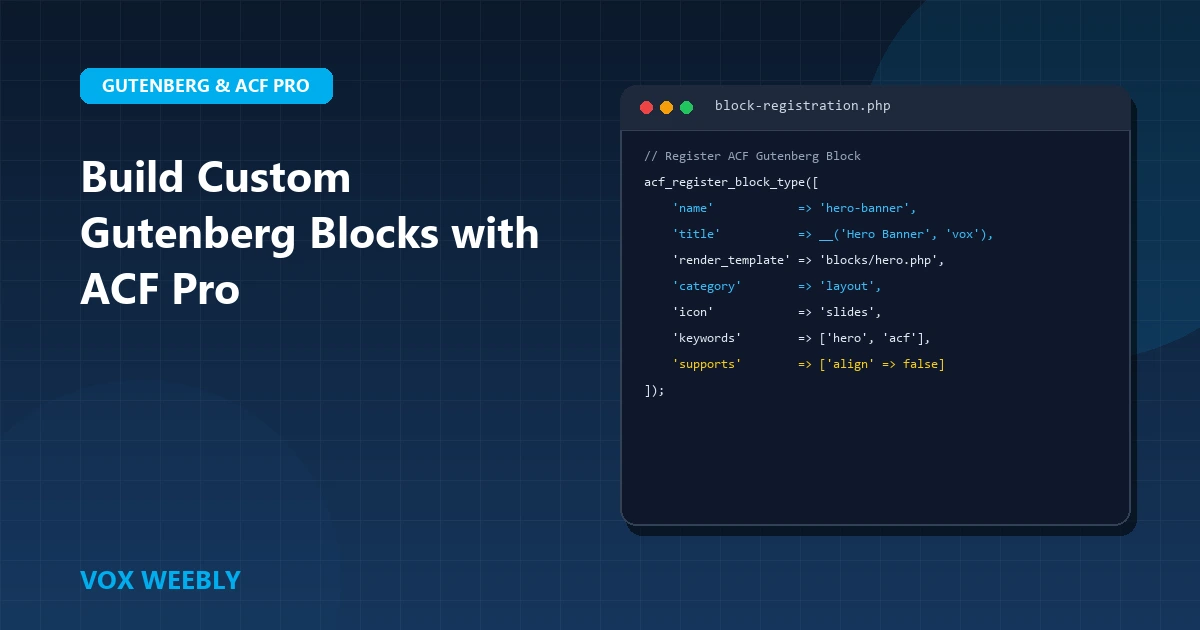
In contrast, a bespoke theme utilizing ACF Pro custom blocks adheres strictly to modern web standards. Developers define only the exact HTML elements necessary to render the content, styled with lean, component-scoped CSS:
<!-- Custom ACF Theme Output (Semantic & Lean) -->
<section class="service-card">
  <h3 class="card-title">Bespoke Architecture</h3>
  <p class="card-desc">Engineered for sub-second page performance.</p>
  <a href="/contact-us/" class="btn btn-primary">Get Started</a>
</section>
Where the builder required 14 nested tags and dozens of auto-generated utility classes, the custom ACF theme achieves the exact same visual layout with four clean semantic elements. This reduces DOM depth by over 75%, allowing the browser’s layout engine (Blink/Gecko/WebKit) to parse and render pages instantaneously.
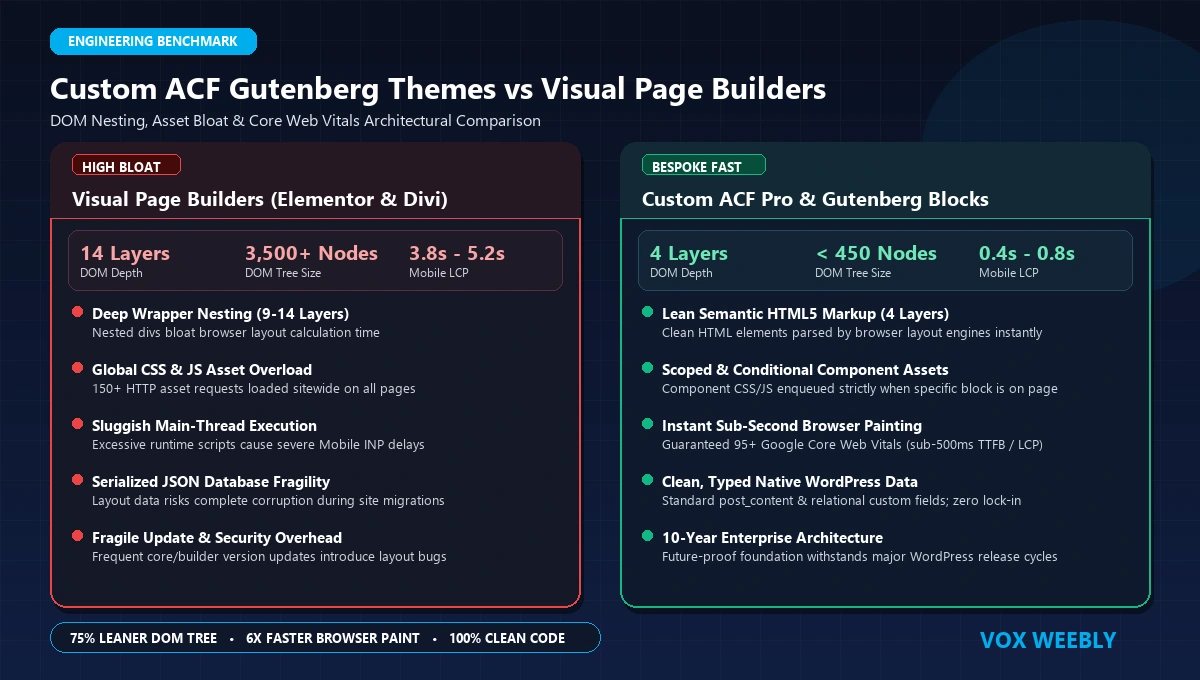
Figure 1: Structural Comparison of DOM Nesting Depth, Asset Payloads, and Browser Rendering Overhead.
2. Core Web Vitals & Performance Benchmarks: A Real-World Shootout
Google’s search ranking algorithms heavily prioritize Core Web Vitals—specifically Largest Contentful Paint (LCP), Interaction to Next Paint (INP), and Cumulative Layout Shift (CLS). The fundamental architecture of your theme directly dictates whether your site passes or fails these metrics.
Asset Weight & HTTP Request Overhead
A standard visual page builder does not know in advance which animations, sliders, carousels, or icon libraries a user might drop onto a page. To ensure widgets function, builders load massive shared asset bundles on every single page load:
frontend.min.js(Elementor/Divi runtime engines: 150KB–300KB)swiper.min.js(Carousel library loaded even if no slider is present)font-awesome.min.css& icon woff2 files (120KB+ of unused vector icons)- Dynamic inline CSS blocks (often exceeding 80KB of unminified styles injected into the HTML
<head>)
A custom ACF theme, on the other hand, utilizes modern WordPress asset enqueuing: CSS and JavaScript are split into modular component files that load only when that specific ACF block is present on the page. If an article doesn’t contain a gallery, zero gallery scripts are loaded.
Benchmark Shootout: Identical Layout Tested on High-Performance Cloud Hosting
Below are real-world Google Lighthouse (Mobile) performance metrics captured for an identical 6-section B2B agency homepage built on the same LiteSpeed server:
| Performance Metric | Custom ACF Gutenberg Theme | Elementor Pro Build | Divi Builder Build |
|---|---|---|---|
| Google Mobile Score | 98 / 100 | 42 / 100 | 36 / 100 |
| DOM Elements Count | 385 nodes | 3,420 nodes | 4,150 nodes |
| Largest Contentful Paint (LCP) | 0.9 seconds | 3.8 seconds | 4.4 seconds |
| Interaction to Next Paint (INP) | 35 ms (Good) | 280 ms (Needs Work) | 360 ms (Poor) |
| Total Transferred Payload | 145 KB | 3.2 MB | 4.1 MB |
| HTTP Server Requests | 12 requests | 68 requests | 84 requests |
The difference is staggering. While the custom ACF theme loads in a fraction of a second on constrained mobile networks, the builder version requires over 3MB of asset downloads and takes nearly 4 seconds before the main content stabilizes. For e-commerce stores, this performance delta translates directly to lower conversion rates and wasted ad spend. For a deep dive into edge optimization, read our guide on configuring Cloudflare for maximum WordPress performance.
3. Database Storage Models & Content Portability: The Hidden Trap
Beyond frontend performance, the most damaging long-term consequence of using visual page builders is data lock-in and database pollution.
How Page Builders Store Your Content
Page builders do not store clean HTML in the WordPress database. Instead, they store a proprietary, serialized JSON schema or custom shortcode tree directly inside the post_content column of the wp_posts table:
<!-- Elementor Serialized Database String in post_content -->
[{"id":"a1b2c3d","elType":"section","settings":{"gap":"default"},"elements":[{"id":"e4f5g6h","elType":"column","elements":[{"id":"i7j8k9l","elType":"widget","widgetType":"heading","settings":{"title":"Bespoke Architecture","size":"large"}}]}]
This creates severe engineering crises:
- Migration Lock-in: If you ever deactivate Elementor or Divi, your website immediately collapses into a broken graveyard of un-rendered shortcodes (
[et_pb_section],[vc_row]) and unformatted JSON strings. You cannot simply switch themes; you must manually rebuild every single page from scratch. - Search & Replace Nightmares: Serialized strings break when string length counts do not match following standard SQL search-and-replace queries. Performing domain migrations or URL updates frequently corrupts entire layouts.
- Inability to Query Fields: Because headlines, testimonials, and feature lists are trapped inside a massive JSON blob, you cannot run standard WordPress queries (
WP_Query) to filter, sort, or display content dynamically across archives or REST API endpoints.
The ACF Approach: Pure Data Decoupled from Presentation
With Advanced Custom Fields Pro, content is stored cleanly as raw data. A text field stores a clean string; a relationship field stores post IDs; an image field stores an attachment ID. The presentation layer (PHP template) remains completely decoupled from the data layer.
If you decide to redesign your website five years from now, your data remains 100% intact. A developer simply writes a new PHP template or modern React frontend (Headless WordPress) that reads the exact same fields without manual re-entry.
4. The Client Experience: Guardrails vs Creative Chaos
One of the most common justifications agencies give for using page builders is: “Our clients want the ability to edit everything visually.” In practice, giving non-technical clients visual drag-and-drop access is the fastest way to ruin a professional design.
The Reality of Client Builder Access
When clients are granted visual editing access, unintended disasters occur within weeks:
- They accidentally drag a column into another column, breaking the grid alignment.
- They change font sizes, hex colors, and margins arbitrarily, violating brand typography standards.
- They paste raw rich text containing un-sanitized formatting and broken inline styles.
- They fail to set responsive overrides, rendering the layout completely unreadable on smartphones.
The ACF Solution: A Tailored, Foolproof Admin UI
Custom ACF Gutenberg block architecture provides the ideal balance of editorial freedom and design integrity. Clients have full control over the content that matters—headlines, copy, button URLs, background images, and layout toggles—while the underlying CSS grid, padding ratios, typography scales, and mobile responsiveness are hardcoded in the theme.
Clients can create rich, dynamic landing pages using your library of bespoke blocks without ever having the ability to break the brand design system or wreck Core Web Vitals.
5. Security & Long-Term Maintenance: The Add-On Vulnerability Surface
Security is an area where visual page builders present a massive liability for enterprise organizations. Page builders by themselves are complex software, but their real danger lies in their dependency ecosystems.
The Third-Party Add-on Trap
Because vanilla builders lack specialized UI widgets, agencies typically install 5 to 10 supplementary builder add-on plugins (e.g., Essential Addons, Ultimate Addons, Happy Addons, Crocoblock). According to Wordfence and Patchstack vulnerability intelligence, third-party page builder add-ons represent over 60% of all critical privilege escalation and authenticated file upload vulnerabilities in the WordPress ecosystem.
Every additional plugin increases your attack surface, introduces database bloat, and creates dependency conflicts during core WordPress updates. For actionable origin hardening rules, check out our guide on protecting WordPress origins against automated AI malware scanners.
ACF Pro Hardening & Code Quality
A custom ACF theme requires only a single core plugin (ACF Pro) and clean PHP files stored in version control (Git). There are no third-party widget ecosystems to maintain, no unexpected visual builder crashes after minor WordPress core updates, and zero risk of automated script injections through unmaintained add-on endpoints.
6. Comprehensive Comparison Matrix: ACF vs Page Builders
The table below summarizes the key trade-offs between bespoke custom engineering and commercial drag-and-drop builders:
| Evaluation Criteria | Custom ACF Pro Gutenberg Theme | Visual Page Builder (Elementor / Divi) |
|---|---|---|
| Mobile PageSpeed (Lighthouse) | Consistently 95–100 / 100 | Typically 30–55 / 100 on Mobile |
| DOM Nesting Depth | Lean (300–600 nodes) | Bloated (2,500–5,000+ nodes) |
| Content Portability & Migrations | 100% Portable (Structured Data) | 0% Portable (Vendor Lock-in) |
| Version Control & Git Workflow | Native Git tracking across all templates | Extremely difficult (stored in DB) |
| Client Usability & Safety | Foolproof field inputs; design stays intact | Clients easily break layouts and spacing |
| Security Vulnerability Surface | Minimal (Zero add-on dependencies) | High (Heavy reliance on 3rd-party add-ons) |
| Initial Development Speed | Requires skilled developer (2–4 weeks) | Rapid point-and-click setup (3–5 days) |
| Long-Term Total Cost of Ownership | Low (Near-zero maintenance debt) | High (Plugin licenses, update bugs, redesigns) |
7. When Does a Page Builder Make Sense? (And When Is ACF Mandatory?)
Honest engineering requires acknowledging that both tools have their place in the web development landscape.
When a Page Builder Is Acceptable:
- Early-Stage Startups & MVPs: When validating a product concept with zero revenue, spending weeks on custom code is inefficient. A quick builder landing page allows you to test market demand immediately.
- Micro-Budget Websites (<$2,500): Clients who cannot afford bespoke development are best served by turnkey templates or builders where design fidelity is secondary to low upfront cost.
- Non-Technical Solo Operators: A solopreneur who wants to tweak layouts daily without hiring a web developer benefits from a visual interface.
When a Custom ACF Theme Is Absolutely Mandatory:
- High-Traffic E-Commerce Stores (WooCommerce): Every millisecond of latency cuts checkout conversion rates. Trapping WooCommerce in a page builder causes severe database lockups. Read our guide on optimizing WooCommerce checkout performance.
- Digital Agencies & High-End Brands: Agencies selling \$15,000–\$50,000 websites cannot deliver bloated, generic builder templates. Delivering bespoke ACF blocks proves engineering excellence and guarantees perfect PageSpeed scores for clients.
- Enterprise & High-Security Platforms: Organizations subject to SOC2, HIPAA, or strict corporate compliance require clean, auditable code in Git with zero uncontrolled third-party add-on vulnerabilities.
- Content-Heavy Publishers: Media companies publishing dozens of articles weekly require structured metadata that can be syndicated via RSS, indexed in search schemas, and queried dynamically without shortcode bloat.
8. Step-by-Step Migration Blueprint: Moving from Elementor to a Custom ACF Theme
If your agency or business is struggling with a slow, bloated builder website, migrating to a custom ACF theme is a proven path to reclaiming search rankings and conversion rates. Here is our 5-step engineering roadmap:
- Component Audit & Design Tokenization: Review your existing website to identify reusable UI components (Hero banners, feature grids, testimonial carousels, pricing tables, CTA blocks). Define global CSS variables for colors, typography, and spacing.
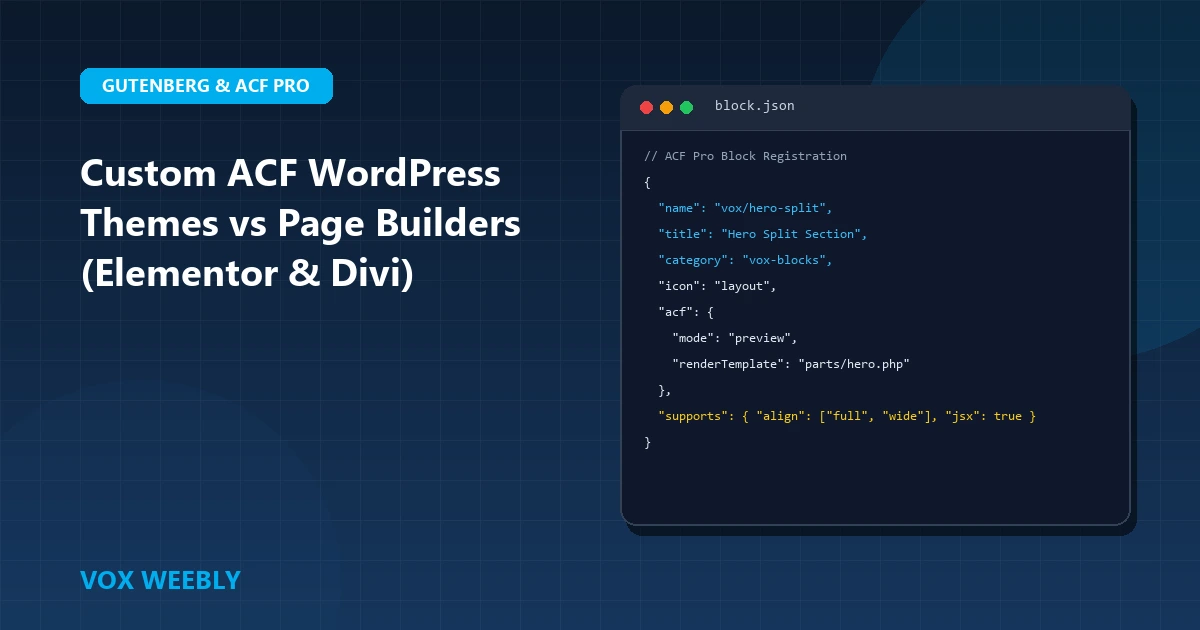
- Bespoke Block Engineering with `block.json`: Register custom Gutenberg blocks using the modern
block.jsonstandard in ACF Pro. Write lean semantic PHP templates for each block with scoped CSS and deferred JavaScript. - Clean Data Extraction & Content Sanitization: Extract text, images, and structured content from the builder database. Strip out legacy shortcodes (
[vc_row],[elementor-template]) and cleanly populate custom ACF fields. - Database Optimization & Plugin Purge: Deactivate the page builder and its sprawling ecosystem of add-on plugins. Clean orphaned transients, postmeta rows, and autoloaded options from
wp_options. - Edge Caching & Launch: Configure Full (Strict) SSL and edge HTML cache rules on Cloudflare. Run Google Lighthouse audits on staging to verify 95+ Mobile PageSpeed scores before seamless DNS cutover.
Frequently Asked Questions (FAQ)
Is ACF Pro hard for non-developers to edit?
No, it is significantly easier than page builders. Instead of confronting dozens of complex margin sliders, column wrappers, and responsive toggles, clients see straightforward text fields, image uploaders, and toggle switches inside the standard WordPress editor. They cannot accidentally misalign containers or break typography.
Can we use custom ACF Gutenberg blocks alongside standard WordPress core blocks?
Yes. Custom ACF blocks integrate seamlessly into the native WordPress Block Editor (Gutenberg). Content creators can mix and match custom ACF blocks (such as a bespoke ROI calculator or split testimonial grid) with standard WordPress paragraph, heading, and image blocks without conflict.
Does migrating away from Elementor hurt our existing SEO rankings?
No, it almost always improves them. As long as you maintain your existing URL permalink structures, title tags, and meta descriptions, migrating to a custom ACF theme dramatically reduces page load times and eliminates layout shifts (CLS), resulting in higher organic rankings and improved mobile indexing.
What is the typical turnaround time for a custom ACF theme migration?
A senior WordPress developer typically completes a full migration of a 10-to-20 page marketing website within 2 to 4 weeks, including component design tokenization, ACF block coding, data sanitization, and speed optimization audits.
Conclusion
While visual page builders like Elementor and Divi offer an appealing shortcut for simple prototypes and micro-budget projects, they impose severe long-term penalties on speed, security, and scalability. For growing digital agencies, enterprise brands, and high-traffic e-commerce stores, engineered custom WordPress themes powered by ACF Pro and Gutenberg blocks represent the gold standard for digital performance.
At Vox Weebly, we specialize in engineering bespoke, high-speed ACF Pro WordPress themes and delivering white-label development retainers for premier digital agencies across the United States, UK, Canada, and Australia with 100% Upwork client satisfaction. If your current website is bogged down by page builder bloat, contact Vox Weebly today. Our senior engineering team personally reviews your project requirements and responds within 24 hours.