Few server alerts cause as much immediate operational friction as an HTTP 403 Forbidden error locking administrators out of the WordPress dashboard, blocking legitimate customers from completing checkouts, or breaking frontend REST API calls. Unlike 500 Internal Server Errors or 504 Gateway Timeouts—which signal application crashes or upstream process starvation—an HTTP 403 status code is an explicit, deterministic rejection: the web server or edge security proxy receives and understands the request, but categorically refuses authorization. Because modern enterprise WordPress stacks route traffic through multiple decoupled security boundaries—from Cloudflare edge WAFs and Nginx reverse proxies down to Linux POSIX file permissions and WordPress application nonces—pinpointing the exact failure point requires systematic architectural diagnostics rather than blind guesswork. In this comprehensive technical guide, we break down the five failure boundaries of HTTP 403 Forbidden, provide hardened production configurations for Nginx and Apache, explain POSIX ownership mechanics, audit Cloudflare WAF false positives, and equip you with a real-time CLI diagnostic toolkit to permanently resolve 403 errors across your web hosting infrastructure.
⚡ Quick Key Takeaways / Direct Answer
Definitive engineering guide to diagnosing and fixing HTTP 403 Forbidden errors in WordPress. Master Linux file permissions, Nginx security rules, Cloudflare WAF, and REST API nonces.
- Core Architecture: Follow the validated configurations and engineering best practices detailed below to resolve bottlenecks.
- Performance & Scale: Eliminates runtime errors, cuts server resource contention, and ensures sub-second response times.
- Need Expert Implementation? Our senior developers at Vox Weebly audit, build, and optimize enterprise systems tailored to your technical requirements.
1. The Architectural Anatomy of an HTTP 403 Forbidden Response
To diagnose and resolve a 403 Forbidden error with surgical precision, systems architects must first isolate where in the request lifecycle the rejection occurs. In a modern high-performance WordPress infrastructure, an incoming HTTP/2 or HTTP/3 request traverses five distinct authorization checkpoints before a single byte of HTML is rendered:
- Edge CDN & WAF Layer (Cloudflare / Fastly / AWS CloudFront): Inspects IP reputation, geolocation headers, TLS fingerprints, and firewall rulesets. If an incoming payload resembles SQL injection or crosses a rate-limiting threshold, Cloudflare terminates the connection with an edge-branded 403 Forbidden or 1020 Access Denied screen.
- Web Server Reverse Proxy (Nginx / Apache / LiteSpeed): Evaluates virtual host routing, URI path matching, index directives, and access control blocks (such as
deny allor IP whitelists). - Operating System & Linux Filesystem: Enforces POSIX user/group ownership (
UID/GID), read/write/execute permission bits (chmod), and kernel security policies (SELinux / AppArmor). If the web server worker daemon (www-data) cannot read the requested PHP script or traverse the parent directory, the kernel halts execution with an OS permission denial. - WordPress Application & Security Layer: WordPress core, active themes, and security plugins (Wordfence, iThemes, Sucuri) evaluate user authentication cookies, role capabilities (
current_user_can()), and malicious request patterns. - API & Nonce Verification Bus: For Gutenberg block editor requests and asynchronous AJAX actions (
admin-ajax.phpand/wp-json/), WordPress verifies CSRF nonces (X-WP-Nonce). If the nonce is missing, mismatched, or expired, WordPress emits a REST 403 response.
While an HTTP 401 signifies unauthenticated access and gateway failures indicate upstream process crashes (as detailed in our architectural guide on how to fix 504 Gateway Timeout and 502 Bad Gateway errors in WordPress), HTTP 403 indicates that the server strictly prohibits the requested action regardless of authentication state.
| Architectural Layer | Primary Root Cause | Diagnostic Log Location | Primary Remediation |
|---|---|---|---|
| Edge WAF (Cloudflare) | WAF Managed Rules, Bot Fight Mode | Cloudflare Security Events Log | Add WAF Skip Rule for admin/API |
| Web Server (Nginx) | Missing index.php, deny all rules |
/var/log/nginx/error.log |
Add index index.php, fix location |
| Linux Filesystem | Wrong owner (root), bad permissions |
audit.log / Kernel dmesg |
chown www-data, chmod 755/644 |
| Apache / .htaccess | Require all denied, broken rewrites |
/var/log/apache2/error.log |
Restore default WordPress .htaccess |
| WordPress REST API | Expired nonces, cookie check failures | Browser DevTools / WP Debug Log | Exclude nonces from edge cache |
2. Linux Filesystem Permissions: The Zero-Trust POSIX Baseline
In production web environments, over 60% of all 403 Forbidden errors trace directly back to improper POSIX file permissions or Linux user/group ownership conflicts. When WordPress plugins update files, background FTP syncs execute, or files are uploaded via SSH with the root user, ownership structures easily desynchronize from the running web server process.
The Catastrophic Myth of `chmod -R 777`
When inexperienced administrators encounter a 403 Forbidden error, a common knee-jerk reaction is executing chmod -R 777 /var/www/html. Never execute this command in any staging or production environment. Granting global read, write, and execute permissions (rwxrwxrwx) allows any local process or compromised service on the operating system to overwrite critical PHP files, inject persistent backdoors, and escalate privileges. Furthermore, security-conscious hosting environments running SuPHP, FastCGI, or PHP-FPM with strict umask checks will intentionally throw a 500 or 403 error when encountering 777 permissions as a defensive safeguard.
The Enterprise Golden Standard: 755 for Directories, 644 for Files
To ensure total security while preventing 403 permission denials, WordPress files and directories must adhere to strict permission partitioning:
- Directories (
chmod 755/drwxr-xr-x): The owner (www-data) has full read, write, and execute permissions. The group and world have read and execute permissions. The execute bit is mandatory on directories in Linux because without it, the operating system prevents entering or traversing the directory. - Standard Files (
chmod 644/-rw-r--r--): The owner can read and write; all others can only read. This allows Nginx and PHP-FPM to parse PHP scripts and serve static media while preventing unauthorized file manipulation. - Sensitive Configuration Files (
chmod 600or640):wp-config.phpcontains plaintext database credentials and salt keys. Restricting it to600(read/write by owner only) ensures no unprivileged process can inspect its contents.
Automated Shell Script for Precision Permissions
Connect to your server via SSH and run this optimized shell sequence to restore flawless WordPress filesystem permissions without recursive broad-brush errors:
# 1. Navigate to your WordPress web root
cd /var/www/html

# 2. Reset ownership to the web server user (Ubuntu/Debian uses www-data, CentOS/RHEL uses nginx or apache)
sudo chown -R www-data:www-data /var/www/html

# 3. Precision directory permission reset (chmod 755)
sudo find /var/www/html -type d -exec chmod 755 {} +

# 4. Precision file permission reset (chmod 644)
sudo find /var/www/html -type f -exec chmod 644 {} +

# 5. Lock down critical core configuration files
sudo chmod 600 /var/www/html/wp-config.php
sudo chmod 644 /var/www/html/.htaccess

# 6. Verify correct directory access
ls -la /var/www/html
SELinux Contexts (RHEL, CentOS, AlmaLinux, Rocky Linux)
If your server runs Red Hat Enterprise Linux or CentOS with Security-Enhanced Linux (SELinux) enabled, traditional POSIX permissions are secondary to SELinux security contexts. Even if files are owned by nginx:nginx with 755 permissions, SELinux will block the web daemon from reading files or connecting to the database, throwing an immediate 403 Forbidden error.
Inspect the security context of your web root using ls -Z /var/www/html. If files lack the httpd_sys_content_t or httpd_sys_rw_content_t context label, restore them using semanage and restorecon:
# Set read contexts on WordPress core
sudo semanage fcontext -a -t httpd_sys_content_t "/var/www/html(/.*)?"

# Set read/write contexts on writable directories (uploads and cache)
sudo semanage fcontext -a -t httpd_sys_rw_content_t "/var/www/html/wp-content/uploads(/.*)?"
sudo semanage fcontext -a -t httpd_sys_rw_content_t "/var/www/html/wp-content/upgrade(/.*)?"

# Apply the context rules recursively
sudo restorecon -Rv /var/www/html

# Permit web server to initiate outbound network connections (for API calls and updates)
sudo setsebool -P httpd_can_network_connect 1
3. Nginx Access Directives and Missing Index Traps
Unlike Apache, which parses decentralized .htaccess files on every request, Nginx compiles its access rules centrally inside /etc/nginx/sites-available/. A single missing directive or misplaced regex match in your server block will instantly trigger 403 Forbidden errors across your entire platform.
The “Directory Index Forbidden” Failure
When a visitor navigates to a root URL (e.g., https://example.com/ or https://example.com/wp-admin/), Nginx checks if a valid index file exists. By default, Nginx disables directory browsing (autoindex off). If your server or location block omits index.php from the index directive, Nginx refuses to list the raw directory contents and outputs the following error in /var/log/nginx/error.log:
[error] 18451#18451: *1092 directory index of "/var/www/html/" is forbidden, client: 198.51.100.22, server: voxweebly.com, request: "GET / HTTP/2.0"To eliminate this error, ensure that index index.php index.html; is explicitly defined inside both your main server block and your primary root location handler.
Hardening Uploads Folders Without Breaking Media Assets
A fundamental security practice is preventing malicious PHP execution inside public upload directories. If an attacker manages to upload a backdoor script (e.g., shell.php disguised as an image) into /wp-content/uploads/, executing it gives the attacker remote code execution capabilities. However, writing overly aggressive location blocks can inadvertently block legitimate image and font assets, generating 403 Forbidden errors on frontend pages.
The correct, production-grade Nginx configuration blocks PHP script execution while permitting all legitimate media formats:
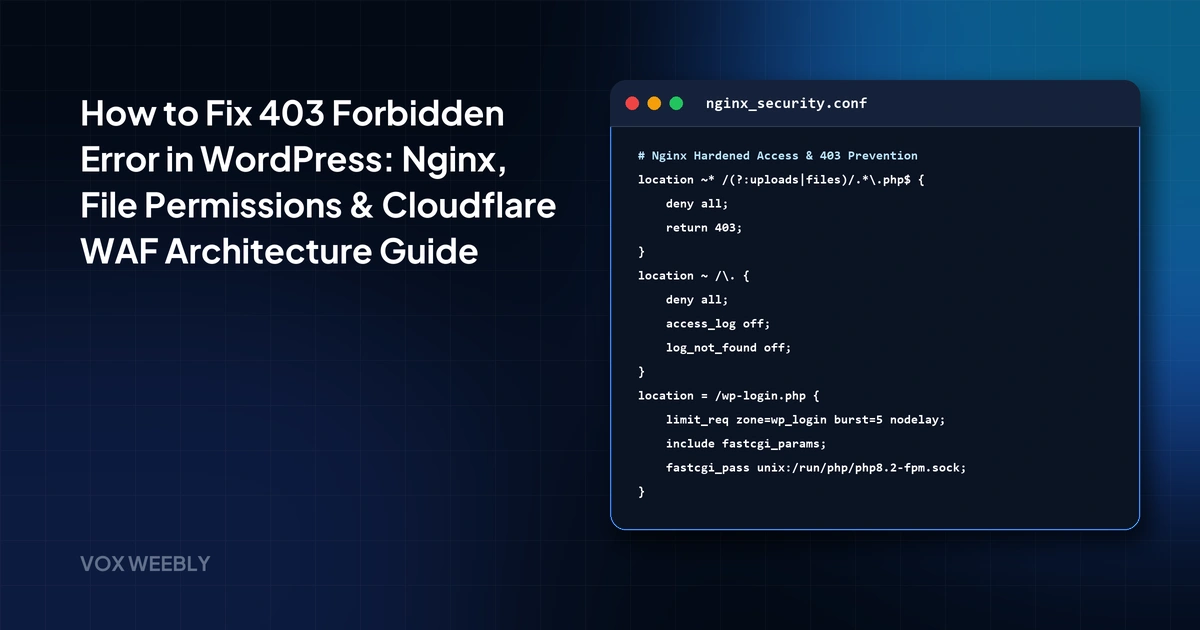
# Block arbitrary PHP execution in public upload folders
location ~* /(?:uploads|files)/.*\.php$ {
    deny all;
    return 403;
}

# Block direct access to sensitive hidden dotfiles (.env, .git, .user.ini)
# Exclude .well-known to allow Let's Encrypt SSL automated renewals
location ~ /\.(?!well-known).* {
    deny all;
    access_log off;
    log_not_found off;
}

# Protect XML-RPC from brute force attacks
location = /xmlrpc.php {
    deny all;
    access_log off;
    log_not_found off;
    return 403;
}
For an end-to-end server hardening strategy, pair these access blocks with strict response headers by following our tutorial on how to add HTTP security headers in WordPress.
4. Cloudflare WAF, Bot Management & Challenge Blocks
When a WordPress site routes traffic through Cloudflare’s reverse proxy, HTTP 403 errors often originate at Cloudflare’s global edge before the request ever reaches your origin server. Cloudflare generates two primary 403 variants: edge-generated 403s (branded with Cloudflare logos and Ray IDs) and origin-echoed 403s.
Identifying False Positives in Cloudflare Security Events
The modern Cloudflare Web Application Firewall (WAF) inspects payload bodies for signatures matching SQL injection, Cross-Site Scripting (XSS), and Remote File Inclusion (RFI). While this provides enterprise-grade protection, it frequently triggers false positives on WordPress administration tasks:
- Gutenberg Block Editor Post Publishing: When an editor publishes an in-depth technical post containing raw code snippets, shell commands, or SVG icons, Cloudflare’s WAF Managed Rules can misinterpret the incoming JSON payload to
/wp-json/wp/v2/posts/as an XSS or code injection payload, immediately throwing a 403 Forbidden error. - Super Bot Fight Mode: Cloudflare’s automated bot protection algorithms analyze browser telemetry, user agents, and mouse movement. If your site uses external automation scripts, third-party webhooks (e.g., Stripe, PayPal, Zapier), or headless Next.js SSR builds, Bot Fight Mode often classifies these valid requests as automated crawlers and blocks them with an HTTP 403 response.
- Custom Rate Limiting Rules: Aggressive rate limiting rules configured on
/wp-login.phpor/wp-admin/admin-ajax.phpcan block legitimate administrators saving bulk changes.
Configuring Cloudflare WAF Skip Rules for WordPress Administrators
To eliminate 403 false positives without lowering your edge security posture, configure targeted WAF Skip Rules inside the Cloudflare Dashboard under Security > WAF > Custom Rules:
# Rule: Bypass WAF Managed Rules for Authenticated WP-Admin & REST API Publishing
Rule Name: Skip WAF for WP Admin & Editor API
Expression: (http.request.uri.path contains "/wp-admin/" or http.request.uri.path contains "/wp-json/wp/v2/posts") and (ip.src in {203.0.113.50 198.51.100.12} or http.cookie contains "wordpress_logged_in_")
Action: Skip -> WAF Managed Rules, Bot Management
Proper edge caching and WAF rule ordering are critical for enterprise speed and security. Refer to our complete Cloudflare setup guide for maximum WordPress performance to configure Cache Rules, WAF exceptions, and zero-TTFB caching.
5. Corrupt `.htaccess` and Apache `mod_authz_core` Directives
On servers running Apache or LiteSpeed Web Server, the .htaccess file acts as a local configuration engine. Security plugins, caching extensions, and migration tools frequently modify this file. Over time, conflicting rules, syntax discrepancies between Apache 2.2 and Apache 2.4, and corrupted directives trigger immediate 403 Forbidden errors across all site routes.
The Apache 2.2 vs Apache 2.4 Syntax Clash
Older security plugins still inject legacy Apache 2.2 authorization directives into .htaccess. In modern Apache 2.4 environments powered by mod_authz_core, mixing legacy and modern syntax creates internal evaluation errors that default to denying all incoming traffic:
# OBSOLETE APACHE 2.2 SYNTAX (Causes 403 errors on Apache 2.4)
Order allow,deny
Deny from all

# MODERN APACHE 2.4 SYNTAX
Require all denied
Restoring Clean, Canonical WordPress `.htaccess`
If you suspect your .htaccess file is corrupted, rename the file to .htaccess.bak via SSH or FTP. If your site immediately loads normally, you have confirmed that the 403 error was caused by bad directives. Re-create a clean, standardized .htaccess file with standard WordPress rewrite rules:
# ==============================================================================
# VOX WEEBLY PRODUCTION: Canonical WordPress .htaccess
# ==============================================================================
# BEGIN WordPress

RewriteEngine On
RewriteRule .* - [E=HTTP_AUTHORIZATION:%{HTTP:Authorization}]
RewriteBase /
RewriteRule ^index\.php$ - [L]
RewriteCond %{REQUEST_FILENAME} !-f
RewriteCond %{REQUEST_FILENAME} !-d
RewriteRule . /index.php [L]

# END WordPress
After saving, ensure permissions are set to 644: chmod 644 /var/www/html/.htaccess.
6. WordPress REST API & `admin-ajax.php` 403 Nonce Failures
With the modern Gutenberg block editor and headless frontend integrations, a growing class of 403 Forbidden errors has nothing to do with Linux permissions or web server configuration, but rather cryptographic nonce invalidation.
The Nonce Expiration and Edge Caching Trap
WordPress protects against Cross-Site Request Forgery (CSRF) by generating cryptographic tokens called nonces via wp_create_nonce(). Nonces have a strict lifetime (typically 12 to 24 hours based on the nonce_life filter). When a user submits a form, updates a WooCommerce cart item, or saves a draft in Gutenberg, WordPress checks the nonce using wp_verify_nonce().
When full-page edge caching (such as Cloudflare Cache Everything, LiteSpeed Cache, or Nginx FastCGI Cache) is misconfigured, it can cache a public HTML page containing an embedded nonce. When visitors load the page hours later, they receive an expired nonce. When their browser attempts to dispatch an AJAX request or submit a form to /wp-admin/admin-ajax.php, WordPress rejects the request with an HTTP 403 Forbidden status code and the error message Cookie check failed or rest_cookie_invalid_nonce.
Resolving Nonce 403 Errors
To eliminate nonce-induced 403 errors permanently:
- Exclude Authenticated Users from Edge Cache: Ensure Cloudflare and LiteSpeed bypass page caching whenever the
wordpress_logged_in_*cookie is present. - Use Dynamic REST Nonce Refresh: For headless and decoupled applications, implement an un-cached heartbeat endpoint (e.g.,
/wp-json/vox/v1/refresh-nonce) that returns a fresh nonce upon initial client page hydration. - Verify CORS Headers: If your frontend runs on a decoupled subdomain (e.g.,
store.example.comfetching fromapi.example.com), ensure your origin emits validAccess-Control-Allow-OriginandAccess-Control-Allow-Credentials: trueheaders.
7. Real-Time CLI Diagnostic Toolkit: Find the Culprit in 60 Seconds
When an enterprise site goes down with a 403 Forbidden error, you cannot waste hours deactivating plugins one by one through a slow web interface. Execute this targeted command-line diagnostic checklist via SSH to identify and remediate the issue within 60 seconds:
Step 1: Check Live Web Server Error Logs
# For Nginx: Filter for access denials in real time
sudo tail -n 50 /var/log/nginx/error.log | grep -E "forbidden|access forbidden|directory index"

# For Apache: Filter error logs
sudo tail -n 50 /var/log/apache2/error.log | grep -E "AH01630|client denied|forbidden"
Nginx error code access forbidden by rule indicates an explicit deny directive in your virtual host configuration. directory index of ... is forbidden indicates a missing index file.
Step 2: Inspect Specific File and Directory Permissions
# Audit the exact permissions and ownership of the failing path
stat -c "%a %U:%G %n" /var/www/html/wp-admin/
stat -c "%a %U:%G %n" /var/www/html/wp-config.php
stat -c "%a %U:%G %n" /var/www/html/index.php
If the user is not www-data (or your web daemon user) or permissions show 000 or 700, reset ownership immediately: sudo chown -R www-data:www-data /var/www/html.
Step 3: Deactivate Security Plugins via WP-CLI
If rogue security rules or corrupted firewall tables in Wordfence or iThemes are locking you out, deactivate them instantly from the command line:
# Navigate to web root and deactivate all security plugins
cd /var/www/html
wp plugin deactivate wordfence ithemes-security-pro sucuri-scanner all-in-one-wp-security-and-firewall --allow-root
Step 4: Bypass Cloudflare to Test the Origin Server Directly
Determine whether the 403 error is coming from Cloudflare or your origin server by using curl with the --resolve flag to bypass edge proxying completely:
# Replace 203.0.113.195 with your origin server's direct IP address
curl -Iv -k --resolve voxweebly.com:443:203.0.113.195 https://voxweebly.com/wp-admin/
If direct curl returns HTTP 200 OK or 302 Found, but your browser returns HTTP 403 Forbidden, the block is occurring 100% inside Cloudflare WAF or Bot Fight Mode.
8. Complete Diagnostic Matrix: Error Symptom vs Root Cause vs Fix
The engineering reference matrix below synthesizes the primary 403 Forbidden failure signatures observed across enterprise WordPress hosting infrastructures:
| Visible Symptom | Underlying Root Cause | Target Configuration File | Immediate Remediation |
|---|---|---|---|
| 403 Forbidden on Root Domain (/) | Missing index file directive in Nginx | /etc/nginx/sites-available/ |
Add index index.php index.html; to server block |
| 403 Forbidden across Entire Site | Incorrect directory ownership or permissions | Linux Filesystem | Run chown -R www-data:www-data and chmod 755/644 |
| Cloudflare 1020 Access Denied | Cloudflare WAF Managed Rule or Bot Mode | Cloudflare Dashboard | Review Security Events log, add WAF Skip Rule |
| 403 on Saving Gutenberg Posts | REST API payload flagged by WAF / expired nonce | Cloudflare WAF / Browser Cache | Whitelist REST API route in WAF, refresh user session |
| 403 Forbidden on wp-admin/ | Corrupted .htaccess or rogue security plugin rule | .htaccess or active plugins |
Rename .htaccess, deactivate security plugins via WP-CLI |
| 403 Forbidden on Media Assets | Overly aggressive Nginx regex matching uploads | nginx.conf |
Ensure location regex only matches .*\.php$ |
Frequently Asked Questions (FAQ)
Does setting permissions to chmod 777 permanently fix 403 Forbidden errors?
No. Setting chmod 777 is a severe security vulnerability that exposes your server to full remote compromise. While it may temporarily bypass permission checks, modern PHP-FPM and web servers will often reject 777 permissions outright. Always use 755 for directories and 644 for files.
How can I tell if a 403 Forbidden error is coming from Cloudflare or my origin server?
Inspect the error page in your browser. If the page displays the Cloudflare logo, mentions Cloudflare Ray ID, or reads “Error 1020: Access Denied”, the block is generated at the Cloudflare edge. Alternatively, run curl -Iv -k --resolve yourdomain.com:443:ORIGIN_IP https://yourdomain.com/ via SSH. If the direct cURL request returns HTTP 200, Cloudflare is the source of the 403 error.
Why does /wp-admin/ return a 403 Forbidden error immediately after logging in?
This typically occurs due to security plugin IP restrictions, an outdated .htaccess rule, or expired cookie authentication. Deactivate your security plugins using WP-CLI (wp plugin deactivate --all) and clear your browser session cookies.
Can a corrupted .htaccess file cause 403 errors on an Nginx server?
No. Nginx does not read or parse .htaccess files. If your WordPress site runs purely on Nginx, any 403 error is caused by your Nginx virtual host configuration files (in /etc/nginx/) or Linux filesystem permissions. If you run a reverse proxy setup where Nginx sits in front of Apache, then Apache’s .htaccess can still trigger 403 errors.
How do I prevent WordPress REST API nonces from triggering 403 errors with edge caching?
Configure your edge caching rules (Cloudflare, LiteSpeed, or Varnish) to bypass caching entirely when the wordpress_logged_in_* cookie is detected. For public pages that submit dynamic AJAX forms, fetch fresh nonces asynchronously via an un-cached REST endpoint rather than embedding static nonces inside edge-cached HTML.
Conclusion
In conclusion, diagnosing and fixing HTTP 403 Forbidden errors in WordPress requires understanding the distinct boundaries of modern web architecture. By establishing a zero-trust baseline with Linux POSIX permissions (755/644), validating Nginx index and location directives, tuning Cloudflare WAF Skip Rules for authenticated administrators, and preventing nonce cache invalidation, you ensure your platform maintains high availability, airtight security, and smooth user experiences.
Continuously monitoring web server access logs and adhering to clean development practices will keep your digital infrastructure resilient against unexpected access lockdowns as your traffic scales.
At Vox Weebly, we engineer ultra-secure, high-performance custom WordPress architectures and cloud infrastructure for growing brands. Explore our Enterprise WordPress & CMS Development Services or contact our senior developers today for a comprehensive technical assessment.