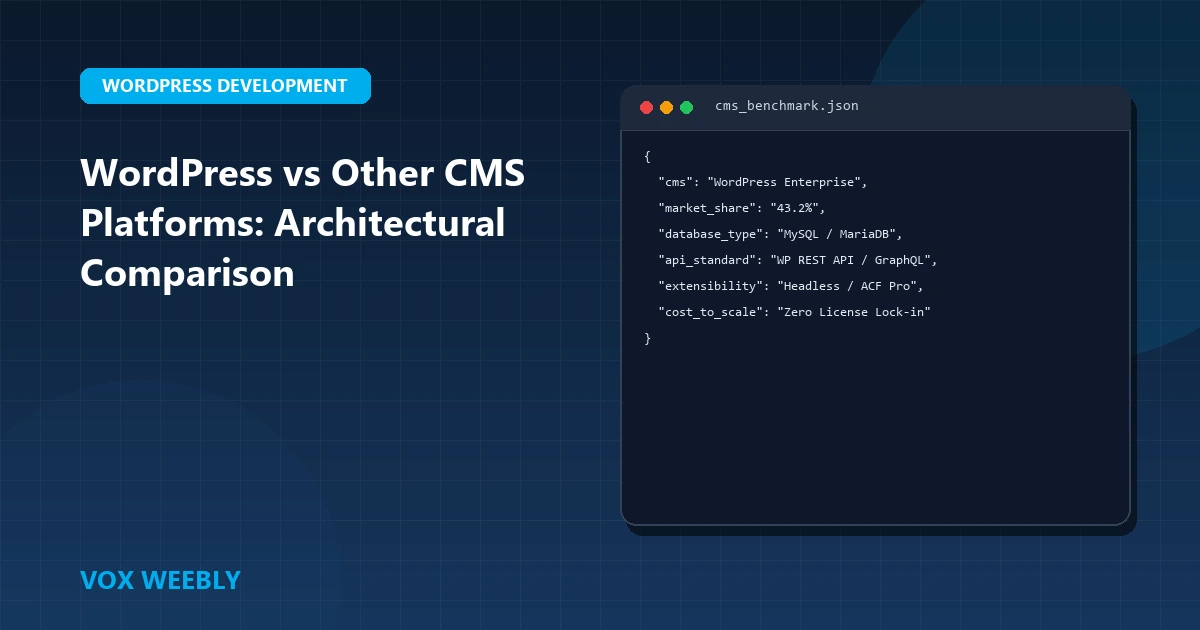
Choosing the right Content Management System (CMS) is the single most critical architectural decision you will make for your digital business. With dozens of platforms claiming supremacy—from open-source giants like WordPress, Drupal, and Joomla to proprietary SaaS builders like Shopify, Wix, and Webflow—it can be challenging to determine which solution best aligns with your long-term growth, scalability, and security requirements. In this comprehensive comparative analysis, we evaluate the top CMS platforms across technical flexibility, total cost of ownership (TCO), SEO authority, and maintenance overhead.
1. Market Share and Ecosystem Dominance
WordPress powers over 43% of all websites on the internet and commands a staggering 62.8% share of the global CMS market according to W3Techs Web Technology Surveys. This market dominance is not a historical accident; it is the direct byproduct of WordPress’s open-source GPL architecture, backwards-compatible API foundation, and an unparalleled plugin repository featuring over 60,000 community and enterprise extensions.
When selecting a platform, the availability of specialized engineering talent is paramount. Hiring experienced WordPress engineers for bespoke theme development or custom REST API microservices is significantly more accessible and cost-effective than sourcing niche developers for legacy proprietary systems.
2. WordPress vs. Drupal: Developer Control vs. Complexity
Drupal is widely respected among enterprise institutions, government bodies, and universities due to its sophisticated taxonomy structures, native multilingual support, and complex role-based access control (RBAC). However, this power comes at the cost of immense developer complexity.
- Learning Curve: Drupal requires advanced knowledge of Object-Oriented PHP, Symfony components, and Composer dependency management. Minor layout adjustments often require hours of custom module development.
- Development Speed: WordPress allows digital agencies and startups to launch custom, pixel-perfect digital experiences in weeks rather than months, using lightweight custom templates and ACF field groups. Learn more about our custom development methodology in our guide to building bespoke WordPress themes.
3. WordPress vs. Joomla: The Middle-Ground Dilemma
Joomla was once the chief rival to WordPress, offering more native content organization options without the steep learning curve of Drupal. Over the last decade, however, Joomla has steadily shed market share. Its extension directory is a fraction of the size of WordPress’s, and major third-party SaaS tools prioritize WordPress and Shopify integrations far above Joomla.
4. WordPress vs. SaaS Builders (Shopify, Webflow, Wix)
Proprietary SaaS platforms offer turnkey simplicity, but they extract a heavy toll in vendor lock-in, data sovereignty, and recurring operational fees:
- Shopify: Unrivaled for standard direct-to-consumer e-commerce, but platform transaction fees, app subscription compounding, and restricted checkout customization can limit large enterprises. By contrast, WooCommerce on WordPress gives you 100% control over database transactions, zero platform cuts, and infinite checkout extensibility.
- Webflow: Excellent for visual designers wanting clean front-end code generation, but severely limited once dynamic relational databases, complex user logins, or custom backend APIs are required.
- Wix / Squarespace: Suitable for hobbyists and simple local directories, but fundamentally unsuited for technical SEO audits, origin database tuning, or high-concurrency traffic handling.
5. SEO Dominance and Core Web Vitals Scalability
Search engines favor sites that deliver fast server response times (TTFB), structured schema markup, clean canonical hierarchies, and instant mobile responsiveness. WordPress provides granular control over server-level caching, edge routing, and asset prioritization. By combining edge caching plugins with tuned PHP execution, WordPress easily achieves 95+ PageSpeed scores. For tactical performance blueprints, explore our guide on disabling lazy loading on critical above-the-fold assets.
6. Enterprise Security and Origin Hardening
Because WordPress powers nearly half the web, it is the primary target for automated bots and credential stuffers. However, a properly architected WordPress installation running behind an Edge WAF is virtually impenetrable. By pairing Cloudflare bot mitigation with web server execution locks, you eliminate 99.9% of automated attack surfaces. Dive deep into origin protection with our technical guide on defending WordPress origins against AI automated vulnerability scanners.
7. Final Decision Matrix: Which CMS Should You Choose?
- Choose WordPress if: You require complete ownership of your database, limitless scalability, tailored custom design, superior technical SEO, and an open platform with zero vendor lock-in.
- Choose Shopify if: You are launching a straightforward retail storefront and prefer paying ongoing subscription fees rather than managing hosting architecture.
- Choose Drupal if: You are a large government agency or multi-campus university requiring intricate native RBAC permission matrices with extensive in-house engineering teams.
Enterprise Total Cost of Ownership (TCO) Breakdown: 5-Year Projections
When calculating the true financial impact of choosing an enterprise CMS, organizations must look beyond initial setup costs. Proprietary SaaS platforms like Shopify Plus charge a minimum baseline of $2,000 per month, plus transaction fees on third-party payment gateways and compulsory app subscription compounding. Over a standard five-year operating lifecycle, an e-commerce brand generating $3M in annual revenue can easily pay over $180,000 in software platform fees alone.
By contrast, an enterprise WordPress installation running WooCommerce on high-availability cloud architecture (such as AWS, Google Cloud, or dedicated LiteSpeed clusters) involves fixed infrastructure costs. Organizations retain 100% of their gross margins, pay zero transaction cuts, and maintain immutable ownership of their relational MySQL customer databases. Learn more about the open-source governance model from the Free Software Foundation GNU Operating System Guidelines.
Developer Flexibility & Headless API Integration
Modern WordPress is not limited to monolithic theme rendering. With the native WP REST API and WPGraphQL, enterprise engineering teams can deploy WordPress as a headless content management backend, serving structured content to blazing-fast Next.js frontends, iOS mobile applications, and IoT displays seamlessly.
Conclusion
In conclusion, mastering wordpress vs other cms platforms: which one to choose? is essential for building a resilient, high-performing WordPress website. By implementing the architectural best practices and configurations covered in this guide, you ensure your platform maintains peak performance, bulletproof security, and seamless user experiences.
Continuously auditing your server configurations, monitoring error logs, and adhering to clean development standards will keep your site reliable as your business scales. Investing in high-performance hosting and modern engineering prevents costly downtime and maximizes your digital investment.
At Vox Weebly, we understand the importance of a fast, secure, and custom-engineered WordPress website, and our team of senior developers can help you build, optimize, and maintain your web platform for maximum performance. Contact us today to learn more about our custom WordPress website development services.
Frequently Asked Questions (FAQ)
Why do businesses choose WordPress over Drupal, Joomla, or Shopify?
WordPress powers over 43% of the internet because of its unrivaled ecosystem, flexible ACF data modeling, and open-source independence. Unlike closed SaaS platforms like Shopify or Wix, WordPress gives you 100% ownership of your data, zero transaction fee penalties, and total freedom over custom theme development.
Can WordPress scale to millions of monthly visitors?
Yes. Enterprise brands like NASA, TechCrunch, and Sony run on WordPress. When engineered with custom lightweight themes, Redis object caching, and Cloudflare edge proxies, WordPress can handle millions of concurrent page views with sub-second response times.
How do I migrate my existing website from Wix or Drupal to custom WordPress?
Vox Weebly provides complete CMS migration services, transferring all blog posts, portfolio projects, user databases, and SEO redirect mappings (301s) without losing organic Google rankings. Contact Vox Weebly today to plan your seamless CMS migration.